Jeff Duntemann's Contrapositive Diary Rotating Header Image

software

Coding vs. Compiling EPubs

It’s always unsettling to admit that the other side has a point, but it’s good practice and often absolutely necessary. I am the VDM guy, after all, and I’ve never been one for hand-coding what can be generated automatically. As I’ve mentioned here earlier, an awful lot of people take their text and hand-code an EPub framework around it to create an ebook, which I found borderline ridiculous…until this morning. Now I think I know why they do it.

It’s simple: Our EPub compilers have a very long way to go.

The process of creating EPub-formatted ebooks can be done two ways: Write your own XML/XHTML by hand, or let a utility of some sort generate it for you. I’ve done both in recent days, and I was bowled over by the conceptual similarities between that and the gulf between writing a program entirely in assembly and writing it in an HLL like C. I’ve done a fair bit of tracing through assembly code as compiled by GCC, and I’ve been very impressed by the cleanness and comprehensibility of the assembly files it produces. GCC is one helluva compiler, as is the Delphi compiler. (And that’s where my low-level code tracing experience begins and ends, mostly.)

Well, I’ve been spoiled. Compared to GCC (or even Delphi, which is now 15 years old, egad) the EPub format is a babe in diapers: poorly understood, still growing furiously, and, as often as not, smelly as hell. All of that will pass. (I remember my nephew Brian in his diapered era; he is now 27 and an investment banker.) But in the meantime, well, the immaturity of the EPub technology must be dealt with.

I did another, larger test case EPub yesterday. I took a 15,000-word article from an old theology journal, extracted the text via ABBYY PDF Transformer, cleaned up the text (which was in fact pretty damned clean to begin with; ABBYY does a superb job here) and loaded the text into the Atlantis word processor. Without a great deal of additional editing, I exported it to an EPub file. That file may be downloaded here. (40K EPub.) There are no images, and all the text exists in a single XHTML section. It’s about as simple structurally as an EPub can get, and what you see is just as it came out of Atlantis. I did not tweak it at all post-Atlantis, neither manually nor in Sigil. (Note well that Atlantis can export EPub, but it cannot import EPub files, nor display/edit EPub XML/XHTML.) I then took that file and loaded it into Sigil, added a cover image, and split the text into two sections. You can find that file here. (1 MB EPub.) Both of these files pass EPubCheck without errors.

The Atlantis EPub renders (reasonably) well in all the local readers I have here, as well as the online Ibis Reader. It’s small (only 40K) and if you can do without a cover it’s a perfectly reasonable ebook. The Sigil copy does not do nearly as well. The online Ibis Reader refuses to render any of the images at all, including the cover image, the copyright glyph, and the generated images of the two grapevine glyphs that I inserted into the title page as decorations just to see what would happen. The copyright glyph issue is disturbing for legal reasons, but worse, it’s a standard character with a standard HTML encoding, and should be renderable irrespective of font. Ditto Azardi, which renders the Atlantis EPub well but not the Sigil copy. Over and above Azardi’s leaving out all the images (including the copyright glyph) the Sigil copy of the EPub loses what little formatting it had in the Atlantis EPub. None of the centered text remains centered, for example.

There are some additional weirdnesses in the readers themselves: FBReader renders both files well, but (weirdly) the Go Forward button moves the reading window toward the beginning of the file, and the Go Back button moves the window toward the end of the file, perfectly bass-ackwards. Ibis displays the title three times, which is overkill. FBReader handles the images just fine, but renders the copyright notice for both versions in Greek letters, sheesh.

These rendering issues are probably reader failures, since the files themselves are EPub-compliant. However, the autogenerated XML/XHTML code is often obscure, and in one case, at least, dead wrong: The title tag includes only the first line of the title. I understand that the title text is split into two lines, but I was never asked to define the text within the title tag and can only assume that Atlantis picked the first Heading 1 style it found and plugged its text into title. (The metadata for the title was stored correctly, and all readers displayed the full title text. I don’t think that the title tag is used by the readers. An empty title tag is perfectly acceptable to EPubCheck.) The gnarliest part of the compiled EPub (in both versions) is the CSS. Atlantis took the page format settings and translated them into generically named CSS classes, which are accurate representations of the word processor settings, but not easily identifiable and in no wise good quality CSS.

This isn’t insurmountable, and most of the problems I’ve had so far can be blamed on incomplete and buggy reader apps, but it shows how young a business this is. The hand coders still have the edge, and I’d be better off on the readability side creating the ebook text in a WYSIWYG HTML editor like Kompozer or Dreamweaver and hand-coding the CSS myself. That is, however, precisely what I’m trying to avoid. Sooner or later, Atlantis or something like it will offer pre-written CSS style sheets designed specifically for text intended for EPub export. That will help a great deal. In the meantime, some manual futzing is unavoidable, and my opinion of Sigil has been greatly tarnished. I may have to try something else on the EPub editor side; suggestions always welcome.

And the readers, yeech. Don’t get me started. I may have to buy an iPad just to see what my own damned books look like!
Atlantis and the EPub Toolchain

You’ve heard me say this before, and I suspect you’ll hear it again and again: Creating ebook files is much harder than it needs to be, and creating ebooks in the EPub format is particularly–and inexplicably–hard. In my June 9, 2010 entry, I spoke about the EPub format itself, and how it’s not a great deal different from a word processor file format. In fact, Eric Bowersox pointed out that OpenOffice’s ODF files are also based on XML and organized in a similar way.

Bogglingly, most people appear to be hand-coding EPub XML. In recent days I’ve been looking for better ways to create EPub ebooks. Many places online cite Sigil as the only WYSIWYG EPub editor in existence right now, and I grabbed it immediately. It’s a very nice item, but appears to be an undergraduate’s Google Code project, and I certainly hope he will hand it off to others if he ever gets tired of hammering on it. Version 0.2.1 has just been released, and it fixes a number of bugs that I stumbled over in the last couple of weeks that I’ve been using it.

Then, yesterday, without any need for ancient maps or Edgar Cayce, I found Atlantis.

The Atlantis word processor is a $35 shareware item created by a very small company in France. It’s portable software, meaning it can live on a thumb drive and does not have to be installed in the usual fashion. It’s tiny; nay, microscopic (the executable is 1.1 MB!!) and lightning fast. It doesn’t have all the fancy eye candy of modern software, but it’s amazingly capable, and highly focused on the core mission of getting documents down and formatted. It has a spellchecker and other interesting features like an “over-used words” detector. It reads and writes .doc, .docx, and .odt (ODF) files, and here’s the wild part: It exports to EPub.

Furthermore, it does a mighty good job of it. I loaded a .doc of my story “Whale Meat” into Atlantis and then exported it to EPub. The generated EPub file passed the very fussy EPubCheck validator immediately with flying colors. Now, this was pure text, without any images or embedded fonts or other fanciness, but that’s ok. You have to start somewhere, and I would prefer to start with a genuine word processor.

I then loaded the EPub file that Atlantis had generated into Sigil, which I used to divide the story into chapters and add a cover image. Sigil isn’t really a word processor in the same sense that Atlantis or Word are, but it allows split-screen editing of WYSIWYG text on one side and XML/XHTML code on the other. Sigil 0.2.0 had a bug that generated an incomplete and thus illegal IMG tag (XHTML requires the ALT attribute) but I see that the new 0.2.1 release fixes that. Adding the ALT attribute manually in Sigil 0.2.0 allowed the EPub file to pass EPubcheck without further errors.

I have not yet generated a TOC in Sigil, nor have I attempted to create an EPub of any significant size. (“Whale Meat” is only 8,700 words long.) When I’m through playing around, I’m going to load the entire .doc image of Cold Hands and Other Stories into Atlantis, export it to EPub, semanticize it in Sigil, and see what I have. At some point along the way I may be forced to hand-code (or at least hand-correct) the XML or XHTML, and you’ll hear me bellyache about it when I do. But I will admit that I’m pleased with what I have so far. Yes, Atlantis and Sigil ought to be one product, or at least two closely-knit utilities in the same product family. Still, given the primitive state of the EPub reader business (I have yet to find a Windows or Linux-based EPub reader that I’m willing to use) I’m satisfied with the way that Atlantis and Sigil cooperate. Now that Apple has anointed the EPub format for iBooks, I’m guessing that EPub-related improvements will be arriving thick and fast in coming months.

EPub and Word Processors

Well. Got your heart medicine handy? Jeff is considering a Mac. Well, not exactly. (Put down that nitroglycerine.) I’m strongly considering getting an iPad. And I’ll bet you didn’t know that I already have an iPod, thanks to Jim Strickland, who may in fact persuade me to get a Mac someday. I worry about some of Apple’s cultural issues (like not providing clear guidelines on what you can sell in their stores and what you can’t, and changing your &!$#*% mind about it every other week) but their engineering is extremely good. I spent some quality time with an iPad at a recent Enclave Meetup, and basically, I’m sold. Those guys pretty much nailed the ebook experience, or at very least came up with the best possible compromise between fixed-page and reflowable presentation that anyone might strike. And I want my books out there in the iBooks marketplace.

This means that I need to be able to create EPub files, and good ones. What boggles me is the scarcity of visual tools for that purpose. Among the mainline desktop publishing apps, only InDesign CS4 and CS5 can export finished EPub files, and some people think the feature itself isn’t finished yet. (I don’t have either version so I can’t do my own testing–and at $700 for the app, I don’t expect to get it.) Some odd comments I’ve seen online suggest that the Scribus developers don’t think that reflowable document export is a suitable task for a fixed-layout desktop pubber, and that they’re not going to do it. There are lots of converter programs for taking various types of files and turning them into EPubs. As best I can tell, most people code their EPubs up manually, as though they were writing a C++ program. Gakkh. But also as best I can tell, affordable WYSIWYG EPub editors begin and end with Sigil.

The format itself is not a skullcracker. You’ve got one or more XHTML files expressing content (plus image files, if present), one or more CSS files defining styles, and one or more XML files describing document structure and metadata, all placed in a container file that’s not much more than a .zip with a different extension. There’s an optional DRM layer in the spec, but it’s technology-agnostic and not much used. The spec is simple enough so that people write the damned things by hand. I can’t imagine that parsing and generating the XML/XHTML/CSS would strain any sort of editor.

My point here is that you don’t need a fixed-layout desktop publishing program like InDesign or Quark to create and maintain EPub ebooks. In a sense, EPub is a modern XML-based word processor file spec, and even a middling WYSIWYG word processor could be twisted a little bit to read, render, edit, and write EPub files that could be loaded right into iBooks without further processing.

Sigil comes close. I’m using it and I’m reasonably impressed, considering that the team is basically writing a brand-new word processor from scratch. What boggles me is that it’s the only WYSIWYG EPub editor in the universe. And as a word processor, well, it’s pretty spare.

There’s no reason for this. Existing word processing apps like OpenOffice Writer and AbiWord could easily be extended to import and export EPub files, or forked to create a ramcharged ebook development system using EPub as its primary file format. Fork or not, I’m convinced of this: All word processors will eventually become ebook editors. The ebook market is closing in on reality. We now have the file format we need. The software will follow.

But sheesh guys, how about picking up the pace a little!

Odd Lots

  • I’m not very good at one-liners. So, in my contrarian fashion, I will present an Odd Lots composed entirely of…two-liners.
  • Technical material (textbooks, manuals, computer books) rendered on an ebook reader? Now you’re talking.
  • As someone fond of both astronomy (especially telescopes) and Star Wars, I consider this a wonderful building hack.
  • Harrison Bergeron was evidently a Canadian kid soccer player. (Thanks to Bob Trembley for the link.)
  • What’s your favorite app for extracting text from PDFs? Any experience with ABBYY’s PDF Transformer?
  • And if you’re going the other way, slow but sure pays off: PDFCreator has finally reached version 1.0, after only seven years.
  • Sigil is the only WYSIWIYG editor for EPUB-format ebooks. Why? When will we start editing ebooks and stop coding them?
  • One of my cousins once had a sandbox in an enormous worn-out tractor tire. Now somebody’s recycled such a tire into a bike.

Odd Lots

  • As I polish up this Odd Lots, I see that Sectorlink.com is down, which is significant to me since they host duntemann.com and copperwood.com. Have no idea what’s going on yet, nor how long the outage has existed. (I was over at one of Carol’s friends’ rebuilding some very ad-hoc tomato shelters in honor of George Ewing until an hour or so ago.) If some of my pages are inaccessible, it’s not about me; it’s the whole damned hosting service.
  • We lost Martin Gardner the other day, at 95. Amazing man, something like a technical Colin Wilson, who wrote the “Mathematical Games” column in Scientific American for 25 years, edited Humpty Dumpty’s Magazine for Little Children (which I read circa 1957-59) and cranked out books for most of his life. Every one I’ve read has been terrific, and I especially endorse Fads & Fallacies in the Name of Science (1957) and The Annotated Alice (1960.) I should look for a few more.
  • Art Linkletter too, who made it to 97. It was in Linkletter’s very funny book Kids Sure Rite Funny that I found the wonderful kid-quote: “Now that dinosaurs are safely dead, we can call them clumsy and stupid.” The book’s copyright was not renewed and it is now in the public domain; you can read it online or get free ebook copies in various formats here.
  • The problem with how to carry your iPad made it all the way to the Wall Street Journal, which devoted an A-head story to the issue. My correspondents (including a couple who have the iPad) think a belt holster is unrealistic. Best iCartage solution I’ve seen so far (including a photo endorsement from Woz himself) is the Scott eVest, with 22 hidden pockets, including one custom-designed for the iPad.
  • Then again, there’s some unexplored form factor territory between smartphones and iPads. I find the Dell Streak (formerly the Mini 5) intriguing for its size/shape alone. (Here’s an interesting perspective on display size from Engadget.) The 5-inch model that will launch later this year (and in the UK on June 4, I hear) is about the size of an old HP scientific pocket calculator, and in the fevered days of my youth alpha geeks carried those around in leather belt holsters. Even the rumored 7-inch version could be belt-holstered with some care; beyond that it gets dicey. (Dell supposedly has a 10-incher in development.)
  • After asking mobile developer David Beers about his thoughts on the Android OS, I discovered that Google will let you download an Android LiveCD so you can mess around with the OS on an ordinary Intel PC without having to lay out for an actual mobile device.
  • That unpronounceable volcano in Iceland, perhaps fearing that the world was starting to get bored with it, blew a volcanic smoke ring the other day. Many people, perhaps thinking that smoking may be hazardous to a volcano’s health, are cheering it on.
  • After several calm days here, the winds came up again yesterday morning. As Carol and I were driving back from Walgreen’s, we saw dust clouds crossing Broadmoor Bluffs in front of us on several occasions. It’s dry here, and construction sites generate a lot of brown dust, true. But then the winds calmed for a few seconds before starting up again, and when they did, we saw a large pine tree shake in the wind and let go a thick cloud of yellow dust. Pine pollen by the pound. No wonder I can barely breathe.

Odd Lots

  • Jupiter has always looked better with a few belts, but now, astonishingly enough, one of them has gone missing.
  • Ever want a stuffed muon? Head right over to the Particle Zoo, where that and many other cuddly plush species of atomic debris can be had, including a few (like the tachyon) that have never been observed and probably don’t exist. Oh, you can get stuffed dark matter too–and does that Higgs Boson look happily stoned or what?
  • I’d heard about it a while ago, but only recently began reading up on the Haiku OS, inspired by ahead-of-its-time BeOS. What intrigued me is Haiku’s inherent suitability for multicore CPUs, since it’s pervasively multithreaded, and damned near every piece of an app is spun off into a separate thread. Alpha release 2 is now available. I’ve downloaded the ISO and will report back here when I test it on my quad core.
  • One of the more interesting issues involving the iPad is where to put it: Do all of us macho geeks need to get used to carrying man-purses? Hardly. We wore our leather-holstered slide rules on our hips like mathematical six-guns back in the 60s. A quick check online showed nothing comparable for the iPad and its inevitable imitators, but trust me: Leather belt holsters for slates will be the Christmas gift in 2010. Draw, pardner! Whoops. Visio isn’t available for the iPad yet. Surf, pardner!
  • The Hong Kong knockoff artists are beginning to fill the Fake iPad niche, and according to Wired may well clone the Google Android slate before Google even admits that it exists.
  • And Bill Roper sent a link to a barely $100 Android slate shaped to better fit your stylish black leather belt holster. With one of the new Android-based e-reader software packages like FBReader and Aldiko, a gadget like that could serve as a socko indoor ebook reader.
  • From Pete Albrecht comes a link to Lehman’s, a vendor offering mostly non-electrical products and catering (presumably) to an Amish clientele. (Preppers too, I suspect.) An amazing number of items in the catalog (the red rubber hot water bottle, for example) were commonplaces in my youth, and some (like the strangely retro-deco Stirling engine fans) would be right at home on planet Hell from my novel, where electrical devices don’t work. All in all, a fascinating flip.
  • The May 2010 Scientific American published an article suggesting that carbohydrates may be worse for you than saturated fats. This is not news to me (when I eat carbs I gain weight rapidly, and lose just as rapidly when I stop) but it’s encouraging to see a “big-time” publication take the notion seriously. After all, the Federal government has been telling us that fat makes us fat for thirty years now, and all we could do in response has been to…get fatter. I’ve doubled my fat intake in the last year or two, and have remained at my customary 155 pounds. Something’s screwy somewhere. (Found via The Volokh Conspiracy. Read the comments; amazingly good signal-to-noise ratio there.)

Odd Lots

Daywander

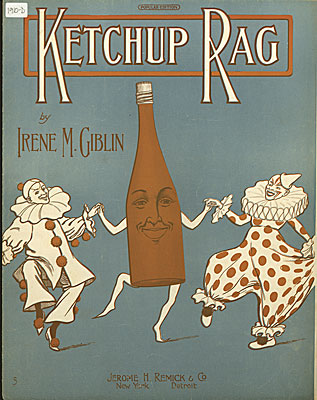
KetchupRagCover.jpgWe’re going to see just how fat our pipes are tomorrow, when Canonical cranks open the spigot for Ubuntu 10.04 Lucid Lynx. It’s an LTS release, and I’m guessing that a lot more people will be grabbing it than usual. I may download it just to see how well the torrent works on Day One; in fact, I have a new hard drive on the shelf for my SX270 here and if abundant time presents itself this week (possible) I may swap in the new drive and install the release. This is the second-to-last machine I have that still uses the System Commander bootloader app, and I’d really much rather have grub everywhere.

Other pipes will also be in play: We got a note from the condo association last week telling us that the water will be shut off for eight hours tomorrow while the plumbers fix our backflow valves. We may fill the bathtub for emergencies tomorrow morning, but I suspect that Carol and I will go shopping (there’s a Mephisto store in Deerfield) and then stop over at Gretchen and Bill’s to run the dogs and take a bathroom break.

Interestingly, the sunspot machine more or less shut down two weeks ago, after switching on roughly January 1 and keeping a spot or two (though mostly small ones) in view almost all the time since then. Some have been predicting a double bottom to the current solar minimum, and if we run a long stretch of spotless days going forward, this may be Bottom 2.

Speaking of double bottoms…while I was in the checkout line at Bed, Bath & Beyond the other day buying Tassimo coffee disks, I was confronted with a POS display for a product called BootyPop. I guess the best way to describe it is a padded bra for your butt. Really; I write SF, not fantasy, and couldn’t make up anything that bizarre.

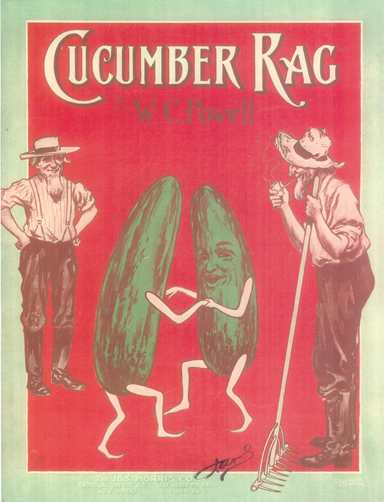
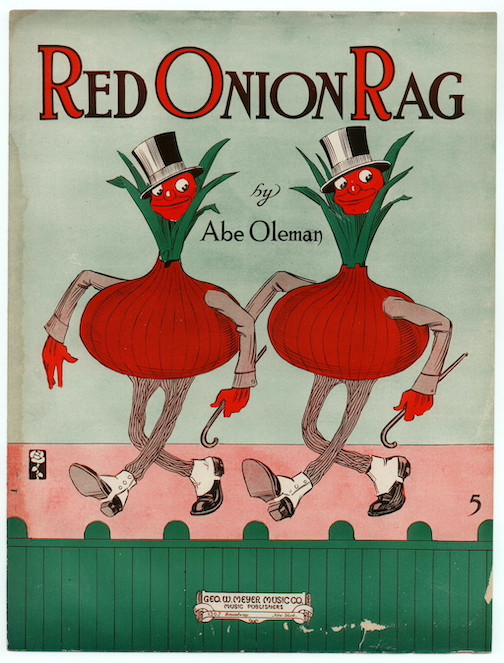
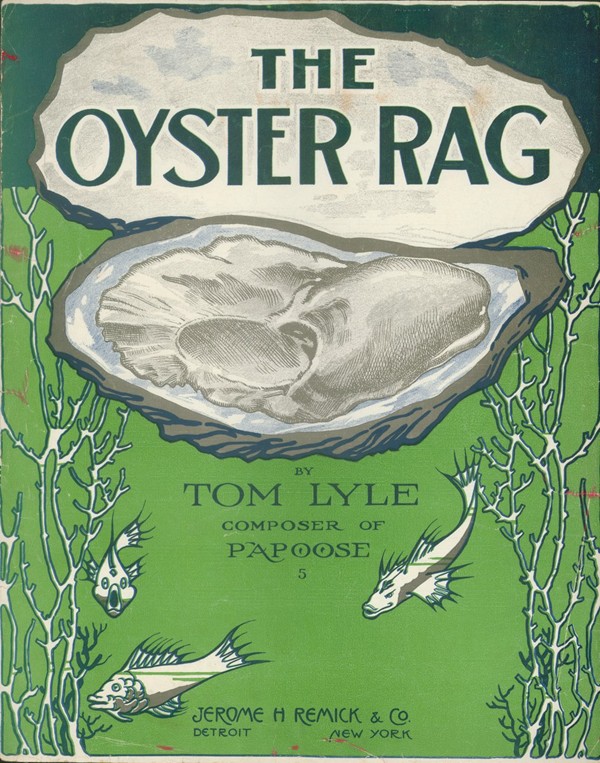
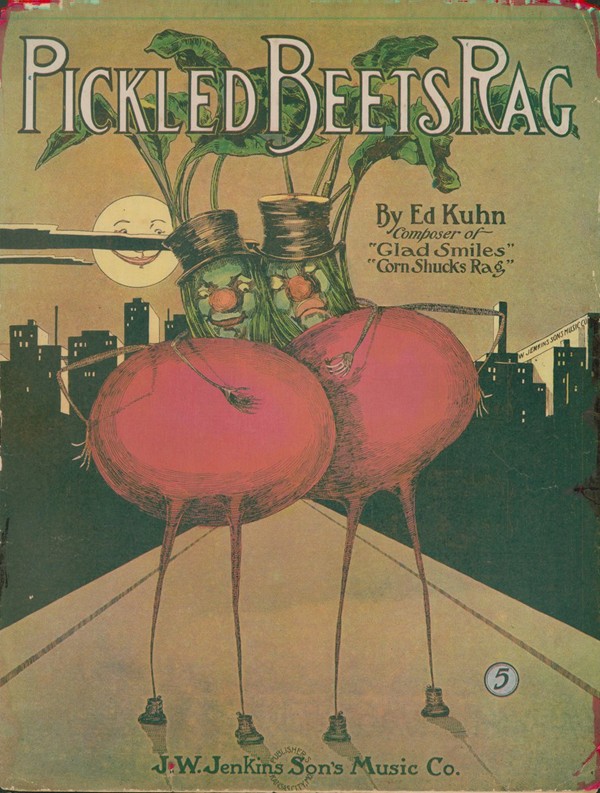
RedOnionCover.jpgWe had dinner with the family the other night at Portillo’s in Crystal Lake, and whenever we eat at a place like that, I wander around gaping at what I call “junkwalls”–old stuff tacked to the wallboard to make the place look atmospheric and (in this case) 1925-ish. Close to our table was a framed piece of sheet music for a song called “Ketchup Rag.” It was published in 1910 and is now in the public domain, and you can see the piece here. Writing entire songs about condiments seemed peculiar, but once I got online, I discovered that ragtime had an affinity for food, and there were in fact a Cucumber Rag, a Red Onion Rag, an Oyster Rag, and a Pickled Beets Rag, among many, many others. I confess a curiosity as to what the Ketchup Rag sounds like (it’s a complicated piece, that’s for sure) and discovered to my abject delight that there is such a thing as sheet music OCR. One example that particularly intrigues me is Audiveris, a Java app that can evidently scarf down a PDF and spit out a MIDI file. I’m downloading it even as I type, and with some luck will get it working later this evening. If it works (or even if it doesn’t) you’ll see a summary in the next Odd Lots.
CBZ Files as Image Archives

Last fall, I gathered a stack of Alma-Tadema‘s paintings from my pre-1923 images folder, wrapped them up into a ZIP file, and sent them to a friend who was looking for a copyright-free color cover for a novel. Some weeks ago, I learned that the CBZ (Comic Book Zip) file format is nothing more than a ZIP file with a different extension. I downloaded and installed a free CBZ reader called Comical. After changing the extension on the Alma-Tadema archive to .cbz, I double-clicked on it, and boom! There it was, beautifully presented and trivially easy to click through. And if you change the extension back to .zip, you can de-archive the images in the usual fashion using any ZIP-capable archiver. It’s all in the extension; no changes to the binary archive need to be made.

Not being a comics guy, I’d never heard of the CBZ format, though it’s been around since 2004. It’s basically an ebook reader protocol (since it is, after all, simply an ordinary ZIP archive) that opens a .zip file and displays the files in alpha order by filename. If the files are displayable as images, the reader displays them. If the files are not displayable as images, a well-behaved reader will ignore them. (Comical, one of the simplest free readers, sometimes crashes when it encounters a non-image binary.) If you need an indicia page, some readers will display text if it’s in an .nfo file. The .nfo will appear in a separate text window on opening the file, rather than in the page display area.

I’ve tested four free CBZ readers: ComicRack and Comical under Windows, and QComicBook and Comix under Linux. All but ComicRack are open-source. ComicRack is overkill in a lot of ways, though it works very well. (It requires the .NET framework, if that’s significant to you.) Comical is much simpler, and my only gripes are that it doesn’t display .nfo files, and it crashes when it finds certain kinds of non-displayable files in a .cbz archive. QComicBook is a Qt4/KDE app, and the one I find myself using under Linux. Comix (a Python app) works well but is not as capable as QComicBook. (Feature-wise, it’s on a par with Comical.) Others exist. Okular will open CBZ files without complaint, but it simply scrolls vertically through the images without attempting to show one per click.

Most of the comic book readers also read CBR and CBT files, which are RAR and TAR archives, respectively, and work almost exactly the same way. (I haven’t tested those formats.)

The CBZ system works best when all the images in the archive are the same dimensions and aspect ratios. I’m putting together some photo albums for showing the folks back home that are collections of digital photographs in one (big) .cbz file. The bigness is mostly unavoidable, since JPG files don’t compress very well. Still, it makes file management simpler

Here are some sample CBZ archives that I put together for testing: Alma-Tadema (14 MB). Hi-Flier Kite Catalog 1977 (6 MB). The “Elf” Space-Charge Receiver (1.7 MB).

Odd Lots